How to set up Instagram auto DM. No code, five minutes, one keyword.
Instagram auto DM sends a private message to everyone who comments a keyword on your post or reel. With SimplyBoost you set it up in about 5 minutes without code: connect your Business or Creator account, start from a template, type your keyword and your message, choose which posts it applies to and test it on your own post. A rule starts running the moment you save it.
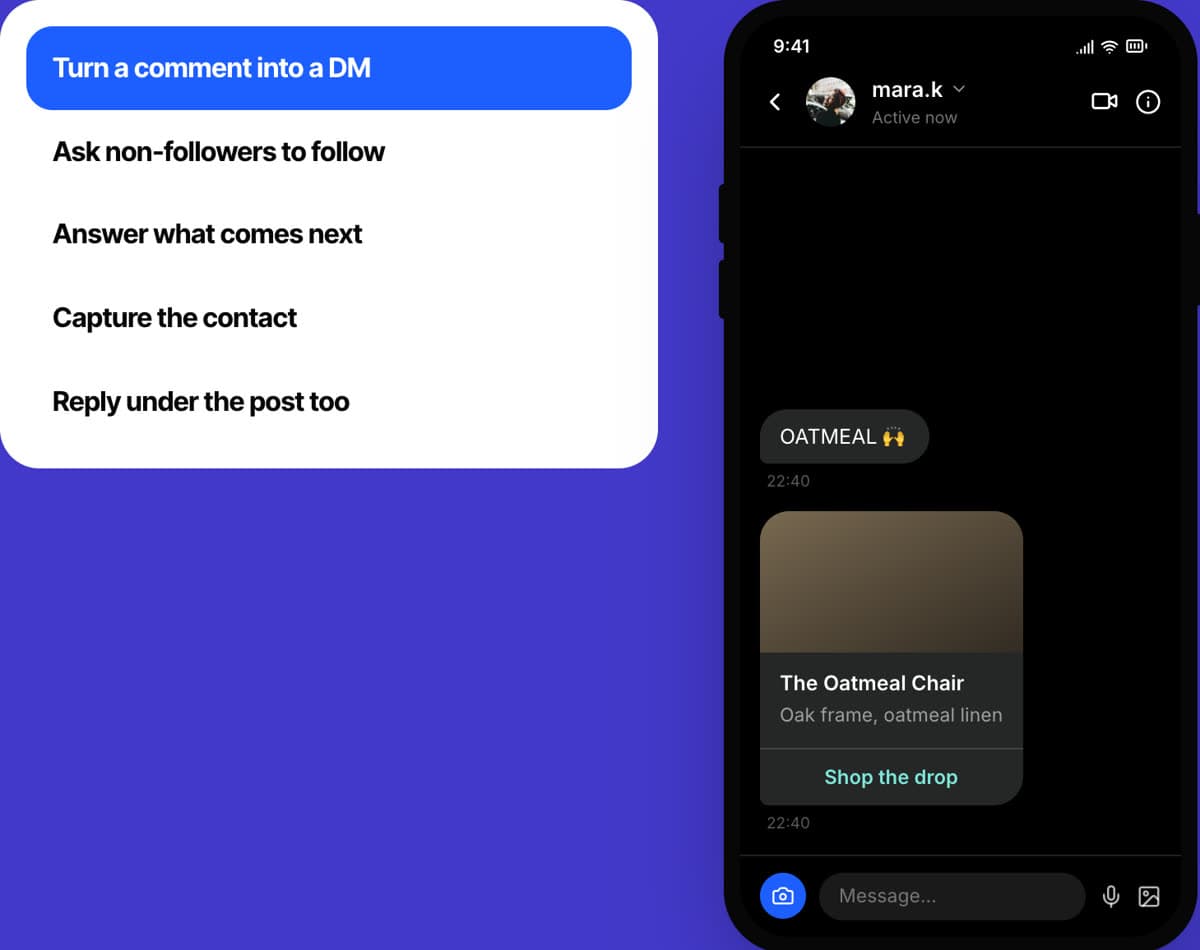
In short: 5 minutes, no code, 5 steps.
- 1.Create your account and choose Instagram
- 2.Connect Instagram
- 3.Start a rule from a template
- 4.Type your keyword and your message
- 5.Choose where it applies, save and test
Last updated:
The five steps at a glance
Total: 5 minutes, from sign-in to live.
- 1 min
Create your account and choose Instagram
Instagram auto DM works without an AI agent, so there is nothing else to build first.
- 1 min
Connect Instagram
You sign in to Instagram and allow access.
Channels › Instagram
- 1 min
Start a rule from a template
A rule is a keyword and a message. Templates fill most of it in.
Channels › Instagram
- 1 min
Type your keyword and your message
Two boxes to fill.
Channels › Instagram
- 1 min
Choose where it applies, save and test
It runs the moment you save.
Channels › Instagram
What you need
- An Instagram Business or Creator profile. One Instagram account connects to one SimplyBoost account
- A SimplyBoost account. You create it in step 1, with a 7-day free trial
- A post or reel to try it on
- A second Instagram account to test with, if you have one
- Five minutes
You will not write any code. Every step is a click or a typed word. What no code means here.
The 5-minute path, step by step
- 1
Create your account and choose Instagram
1 minuteNo codeInstagram auto DM works without an AI agent, so there is nothing else to build first.
Do this
- 1Open get.simplyboost.io and choose Create account. Prefer Google? Choose Continue with Google and skip the email step.
- 2Type your work email and a password of 8 characters or more.
- 3Open the email we send and click the link. It works for 24 hours.
- 4On the first screen, Where do you want to start?, pick Instagram.
You should see: The Instagram page in your dashboard.
Good to know: Already have an account? Open Instagram in the left sidebar, or Channels, then Instagram DM automation.
- 2
Connect Instagram
1 minuteNo codeIn the app:Channels › Instagram
You sign in to Instagram and allow access.
Do this
- 1Choose Connect Instagram.
- 2Sign in to Instagram and allow SimplyBoost to manage messages, see comments and see your profile and posts.
- 3Choose Standalone for rules only. You can link an AI agent later.
- 4Choose Save and continue.
You should see: Your Instagram workspace with the tabs Posts, Rules, Inbox, Contacts, Performance and Agent.
Good to know: The account must be a Business or Creator profile. You can switch a personal profile in the Instagram app settings.
- 3
Start a rule from a template
1 minuteNo codeIn the app:Channels › Instagram
A rule is a keyword and a message. Templates fill most of it in.
Do this
- 1Open Rules and choose New rule.
- 2Start from a template: send a link, share a discount code, answer a price question, send a free guide, book an appointment or a giveaway entry.
- 3For your first rule, Send a link is a good one.
You should see: The rule form, already filled in with an example.
- 4
Type your keyword and your message
1 minuteNo codeIn the app:Channels › Instagram
Two boxes to fill.
Do this
- 1Under When someone comments, choose A keyword and type it, for example OATMEAL. Choose Anything to answer every comment.
- 2Under Send them this DM, write your message. Use {username} where you want their name.
- 3Optionally add a button with a link.
You should see: Your keyword and your message in the form.
Good to know: Keywords match whole words in any letter case, so info does not match infographic. Emoji and punctuation such as #promo work too.
- 5
Choose where it applies, save and test
1 minuteNo codeIn the app:Channels › Instagram
It runs the moment you save.
Do this
- 1Under Where it applies, choose Any post (it also covers future posts) or Chosen posts (up to 200).
- 2Leave Also reply publicly to the comment on, or switch it off.
- 3Choose Save rule.
- 4Comment your keyword on your own post, ideally from a second account. The DM arrives a moment later.
You should see: The DM with your message in the commenter's inbox.
Good to know: Each person gets one DM per rule, per post, per 24 hours. A second comment from the same account does not send a second one.
That is it. You are live.
Here is what you have now.
- Your Instagram account connected, with the rule running
- One DM per person for every keyword comment
- An optional follow-first step and follow-up messages
- Results per rule and per post in Performance
- STOP handled for you
Want to check it properly? 25 questions to test your AI agent.

Make it yours, now that you are live
None of this is needed to go live. Do one a day, or when a customer shows you what is missing. About 10 minutes in total, and no code in any of it.
- 1
Ask non-followers to follow first
2 minutesNo codeOptionalIn the app:Channels › Instagram
A switch at the top of the workspace.
Do this
- 1Switch on Ask non-followers to follow first. It applies to the whole Instagram account.
- 2A person who does not follow you gets your follow-first message with Follow and I'm following buttons, and their DM is held.
- 3The DM is sent as soon as they follow. Held DMs expire after 7 days.
You should see: The switch on.
- 2
Add follow-ups
2 minutesNo codeOptionalA nudge for people who did not reply.
Do this
- 1Open your rule and find Follow-ups.
- 2Add up to 6 messages. They are sent only if the person has not replied, within 23 hours in total.
- 3Any DM from the person stops the sequence.
You should see: Your follow-ups listed under the rule.
- 3
Let an AI agent answer the DMs no rule covers
3 minutesNo codeOptionalIn the app:Channels › Instagram
Rules answer keywords. The agent answers everything else.
Do this
- 1Open the Agent tab and link one of your agents.
- 2Keep Answer DMs with AI around the clock on.
- 3The agent answers from its knowledge, within Instagram's 24-hour window. Your team can take over from Conversations.
- 4Have no agent yet? The first-agent guide builds one in five minutes.
You should see: Your agent linked, and the switch on.
- 4
Read the results
2 minutesNo codeOptionalIn the app:Channels › Instagram
See which keyword and which post works.
Do this
- 1Open Inbox to read every DM thread. Threads are marked From a comment or Needs you.
- 2Open Contacts to see who commented or messaged.
- 3Open Performance for comments and DMs handled, leads captured, your top rule and the DM rate per post.
You should see: Numbers per rule and per post.
- 5
Know what STOP does
1 minuteNo codeOptionalIt is built in, so you do not have to set it up.
Do this
- 1When someone sends STOP, UNSUBSCRIBE or OPT OUT, all automated messages to that person stop: rule DMs, public replies and follow-ups.
- 2START subscribes them again.
You should see: Nothing to do. It works from the first rule.
Questions people ask
A rule that sends a direct message to everyone who comments a keyword on your post or reel, for example a link or a discount code. It is also called comment-to-DM. The glossary explains the term.
Connect your Business or Creator account, open Rules, choose New rule, pick a template, type the keyword and the message, choose the posts and save. The rule runs straight away.
An Instagram Business or Creator profile. One Instagram account can be connected to one SimplyBoost account.
No. Each person gets one DM per rule, per post, per 24 hours. A second comment from the same person gets no second DM or public reply.
No. Rules run on posts and reels, not on stories.
Yes. Switch on Ask non-followers to follow first. Their DM is held and sent as soon as they follow, and held DMs expire after 7 days.
Yes. Link an agent on the Agent tab and it answers DMs that no rule covers, around the clock, from its knowledge. Your team can take over from Conversations.
Keep going

More how-to guides
Good to read first
The details
- Instagram DM automation. The product, the plans and the results.
- Comment-to-DM templates. Message ideas you can copy.
- Auto DM tools compared. Six auto DM tools side by side.
- Instagram documentation. Every rule, setting and limit.
Try SimplyBoost with your own content
Start a 7-day free trial with 100 AI replies. Add your website, install the widget and see how the agent answers your customers.
See pricing- 7 days, 100 AI replies
- From €39 a month
- Hosted in Europe